
 By
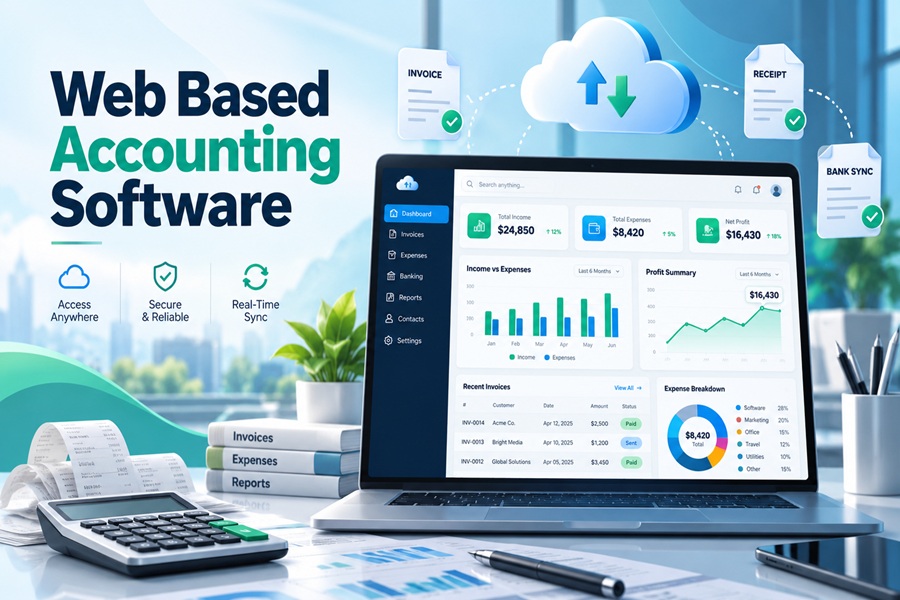
Picture two business owners on the same Friday evening. One is hunting through a desktop computer at the office because the accounting file lives only there, and her accountant is waiting for a report. The other opens a laptop at home, logs in through a browser, and sends the same report in under a minute. The difference is where the books are kept.
Web based accounting software stores your financial records on the provider’s servers and lets you work through a browser or mobile app. There is nothing to install, updates arrive on their own, and your accountant can step into the same data at the same time you do. This guide covers what to look for, what it costs, where the market is heading and how to avoid the mistakes that make people switch twice.
What you gain and what you give up
Moving to a browser changes more than convenience. The gains are easy to list: access from any device, automatic backups, bank feeds that bring transactions in without typing, and live collaboration with your bookkeeper or tax adviser. Many platforms also connect to payment tools, payroll, inventory and customer systems, so information moves between them without being copied by hand.
The trade offs are just as real. You depend on an internet connection, you pay a subscription instead of a one time license, and you rely on the provider for security and uptime. For most small and mid sized businesses these trade offs are acceptable, which is why a growing number of accountants now prefer cloud tools for their clients.
The main players at a glance
No single product suits everybody. The table below groups well known options by the kind of business they tend to fit. Plans and prices change often, so treat this as a map and confirm the details on each vendor’s own page before you commit.
| Platform | Often suited to | Worth knowing |
|---|---|---|
| QuickBooks Online | General small businesses, especially in the US | Wide accountant familiarity, many add ons, tiered pricing |
| Xero | Growing teams and international work | Strong multi currency support and a large app marketplace |
| FreshBooks | Freelancers and service businesses | Invoicing and client billing are the main strength |
| Zoho Books | Budget conscious firms and Zoho users | Good automation and, for very small businesses, a free tier has been offered |
| Wave | Solo owners and startups | Core accounting is free, with paid extras |
| Sage Accounting and Sage 50 Cloud | Established businesses with inventory needs | Robust reporting, higher cost for basic needs |
| NetSuite and Sage Intacct | Larger or multi entity companies | Full finance suites with custom pricing |
If you operate in India, also look at products built around local tax rules, since GST filing and invoice formats can matter more than any global feature list.
What the price tags really cover
Subscription pricing looks simple until you read the fine print. As a rough pattern across the market, entry plans for small teams often fall somewhere between ten and forty dollars a month, while advanced tiers can climb to well over a hundred. Enterprise grade systems usually start in the hundreds per month and can reach thousands once modules and users are added.
Several things push the number up:
- Number of users or billable clients allowed
- Bank connections and automated reconciliation
- Inventory, projects and time tracking
- Multi currency and multi entity consolidation
- Payroll, which is frequently a separate paid add on
- Extra fees for support, onboarding or data migration
Ask each vendor for the all in monthly cost for your real usage, not the headline price.
Security questions worth asking
Because your numbers sit on someone else’s servers, security stops being optional. Look for encryption of data in transit and at rest, two step login, role based permissions so an assistant cannot see everything, and a clear audit trail of who changed what. Many buyers also check whether the provider holds an independent security attestation such as SOC 2, preferably the type that covers a period of time rather than a single moment.
Also ask where your data is stored, how backups are handled and what happens to your records if you cancel. A good provider lets you export your data in a usable format on your way out.
Trends shaping the next few years
Three developments are changing what these tools can do.
Automation with AI. Platforms increasingly read receipts, suggest categories, match bank lines to invoices and flag unusual entries within minutes. The best use of this is to remove repetitive matching work so a human can spend time on judgment.
Electronic invoicing and digital tax rules. Governments in several regions, including India, Japan and Australia, are pushing businesses toward structured electronic invoices and real time reporting. Software that handles these formats natively saves a lot of manual effort at filing time.
Connected systems. Accounting is becoming the core layer of a wider stack that includes payments, payroll, inventory and customer tools. Open connections matter more than ever, so check how well a product exchanges data with the other tools you use.
A trial period test that tells the truth
Most vendors offer a free trial of around a month, and many people waste it by clicking around. Use it as a rehearsal instead.
- Import a real month of transactions, not demo data.
- Connect your actual bank account and reconcile a statement.
- Create and send an invoice, then record a payment against it.
- Invite your accountant and ask for an honest opinion.
- Run the reports you rely on, including tax summaries.
- Contact support with a genuine question and note how fast and how helpful the reply is.
If a product frustrates you within the first week, it will not improve once your records are inside it.
Common mistakes to avoid
Buying for the business you hope to have in five years often means paying for features you never open. Choosing only on price ignores migration effort, which can cost far more than a few months of subscription. Skipping your accountant’s input is another frequent regret, since they will live inside the system as much as you do. And finally, many owners forget to plan the data move itself: clean up your chart of accounts, settle old transactions and decide your cutover date before you import anything.
Making the final call
Start with a short list of two or three platforms that match your size, country and tax needs. Test them with real data, compare the all in monthly cost, check the security basics and ask your accountant to weigh in. The right choice is the one you and your advisers will actually open every week, because accounting software only creates value when the numbers inside it are current. Get that right, and the Friday evening scramble becomes a one minute task.




Comments