Category: Business

  • Choosing Purchase Order Management Software Without Overbuying

    Choosing Purchase Order Management Software Without Overbuying

    Somewhere in most growing companies there is a shared spreadsheet called something like “PO Tracker FINAL v3.” It works until it does not. Someone forgets to log an order, a supplier invoice arrives for something nobody remembers approving, and the finance team spends a Friday afternoon digging through email threads.

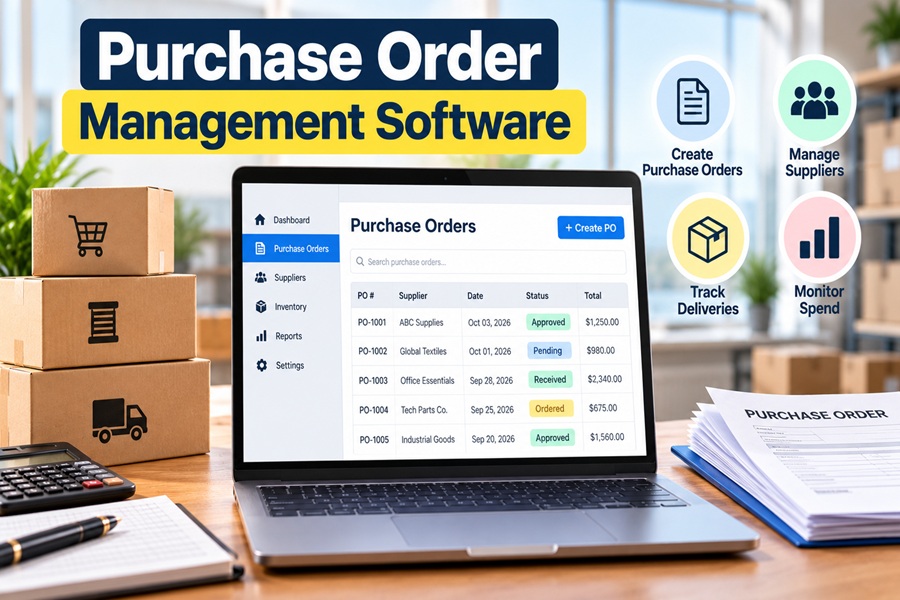
    Purchase order management software exists to replace that chaos with a clear trail. It handles the journey of a purchase from request to approval to order, delivery and invoice. Picking the right one, though, is easy to get wrong. The market ranges from simple tools for a 20 person company to enterprise platforms built for global corporations.

    What the Software Actually Does

    At its core, a purchase order (PO) system answers four questions about every purchase. Who asked for it, who approved it, what it cost and whether what arrived matches what was billed.

    A typical workflow looks like this:

    1. Request. An employee submits a purchase request with item, quantity, supplier and budget code.
    2. Approval. The request routes automatically to the right manager based on amount, department or category.
    3. PO creation. Once approved, the system generates a numbered purchase order and sends it to the supplier.
    4. Receiving. When goods arrive, someone marks them as received, fully or partially.
    5. Invoice matching. The system compares the PO, the receipt and the supplier invoice. This is called three way matching.
    6. Payment and reporting. Approved invoices move to accounts payable, and spend data flows into reports.

    Without software, each of those steps depends on someone remembering to do it.

    Signs Your Business Has Outgrown Spreadsheets

    • Invoices arrive for purchases that nobody approved.
    • Budget owners only learn about overspending after the month closes.
    • Approvals stall because a manager is traveling or buried in email.
    • Auditors ask for documentation that takes days to assemble.
    • Duplicate orders go to the same supplier.
    • Nobody can quickly answer “how much did we spend with this vendor last quarter?”

    If three or more of those sound familiar, dedicated software will likely pay for itself.

    Features That Matter Most

    Not every feature deserves equal weight. These tend to make the biggest difference day to day.

    Configurable approval rules. You should be able to set thresholds, such as purchases over $5,000 needing a director’s approval, without calling the vendor.

    Mobile approvals. Managers approve far faster when they can do it from a phone.

    Budget tracking. Seeing remaining budget at the moment of request stops overspending before it happens.

    Accounting integration. A clean sync with QuickBooks, Xero, NetSuite, Sage Intacct or Microsoft Dynamics avoids double entry. This is often the deciding factor.

    Three way matching. Automatic comparison of PO, receipt and invoice catches overbilling and partial deliveries.

    Supplier management. A central vendor list with contacts, contracts and pricing.

    Audit trail. A timestamped record of every change and approval.

    Reporting. Spend by department, vendor, category and project.

    The AI Features Showing Up Now

    Most vendors now advertise artificial intelligence, and some of it is genuinely useful. The most practical uses include reading supplier invoices automatically through optical character recognition, flagging unusual orders or prices for review and suggesting the right budget code or approver.

    Larger platforms are going further. Coupa, for example, has promoted AI agents designed to support sourcing and purchasing decisions. Procurify uses AI to detect anomalies in purchase orders and invoices. For smaller companies, invoice capture and anomaly alerts usually deliver the most value. Fully autonomous purchasing is still more promise than everyday reality for most teams.

    A Map of the Market

    The tools generally fall into a few tiers.

    Tier Example tools Typical buyer What to expect
    Built into accounting software QuickBooks Online (higher plans), Xero, Zoho Books Very small businesses Basic POs, limited approvals
    Small and midsize procurement tools Precoro, Procurify, Tradogram, ProcureDesk, ProcurementExpress.com 20 to 1,000 employees Approvals, budgets, matching, integrations
    Purchasing marketplaces Order.co Multi location businesses Centralized buying from many vendors
    Enterprise suites Coupa, SAP Ariba, Oracle, Zip Large organizations Sourcing, contracts, global compliance
    ERP modules NetSuite Procurement, Microsoft Dynamics Companies already on that ERP Tight integration, more setup

    Many small businesses are surprised to learn they may already have basic PO features inside their accounting software. That can be enough for a company placing a few dozen orders a month with one or two approvers.

    Pricing Models to Watch

    Pricing varies widely and is often quote based. Common models include:

    • Per user per month, which can get expensive if many employees submit requests.
    • Tiered plans based on features or number of POs.
    • Modular pricing, where purchasing, accounts payable and inventory are separate add ons.
    • Annual contracts with implementation fees for larger platforms.

    Ask whether requesters, approvers and administrators are priced differently. Some tools charge only for approvers, which can save a lot.

    How to Choose Without Regret

    1. Map your current process first. Write down who requests, who approves and where purchases go today. Software should fit a sensible version of that, not force a total reinvention.
    2. List must haves and nice to haves. Accounting integration and approval rules are usually must haves. Supplier portals and contract management may be nice to have.
    3. Shortlist three tools that match your size and accounting system.
    4. Run a real trial. Use actual purchases, not demo data, and include the managers who will approve.
    5. Check implementation time. Mid market tools can often go live in a few weeks. Enterprise suites can take months.
    6. Talk to a reference customer at a similar size and industry.
    7. Plan adoption. The best tool fails if employees keep ordering by email. Set a simple rule, such as “no PO, no payment.”

    Mistakes That Cost the Most

    The most common error is overbuying. A 60 person company signing up for an enterprise suite will pay for sourcing events and global compliance tools it never touches, while employees struggle with a complicated interface.

    The second mistake is the opposite. Picking a tool that cannot integrate with your accounting system leads straight back to manual data entry, which is what you were trying to escape.

    The third is skipping training. A short walkthrough for requesters and a one page guide for approvers often decide whether the system becomes a habit or a nuisance.

    The Real Goal

    Purchase order software is not really about generating documents. It is about knowing where money is going before it leaves the business. When the right tool fits your size, connects to your books and makes approval easier than avoiding it, that old “PO Tracker FINAL v3” spreadsheet can finally be retired.

  • The Sizing Puzzle at the Heart of Clothing Order Fulfillment

    The Sizing Puzzle at the Heart of Clothing Order Fulfillment

    Follow one cotton sweater from the moment it arrives at a warehouse and you will understand why clothing is one of the trickiest categories to fulfill. That single design might come in five sizes and four colors, which makes twenty separate products to track. It needs to arrive folded neatly, free of lint and wrinkles. And there is a real chance it will come back.

    Apparel fulfillment is less about moving heavy boxes and more about precision, presentation and handling returns without losing your margin. Brands that master those three things usually outgrow competitors who treat clothes like any other parcel.

    Arrival: Every Variant Is Its Own Product

    When a shipment of sweaters reaches the warehouse, staff count every size and color, check for defects and assign each variant a unique SKU and barcode. A single style with five sizes in four colors becomes twenty SKUs. Multiply that across a seasonal collection, and a small brand can easily manage hundreds or thousands of variants.

    This is where errors begin if the process is sloppy. A medium labeled as a large on day one creates an angry customer weeks later. Good receiving teams scan every unit, spot check measurements against the spec sheet and flag factory mistakes before the items reach a shelf.

    Quality checks at this stage pay off. Loose threads, misprinted labels and small stains are cheaper to catch now than to process as returns.

    Storage: Folded, Hung or Binned

    Clothing gets stored in a few ways, and each affects cost.

    Folded in bins or on shelves. This is the most common and space efficient method for t shirts, knits, denim and activewear. Each SKU gets its own labeled bin.

    Hanging on rails. Structured garments such as blazers, dresses and formal shirts often stay on hangers to avoid creases. Hanging storage takes more space and usually costs more.

    Bagged individually. Many brands ship garments from the factory in clear poly bags with a barcode sticker on the outside. This protects against dust and makes scanning easier.

    Smart layouts place bestselling sizes, often medium and large, in the most accessible bins. Slower sizes such as extra small or extra extra large can live a little further away.

    Picking: Where Similar Items Cause Trouble

    Picking mistakes in apparel usually come from items that look nearly identical. Black and charcoal. Size 8 and size 10. A slim fit and a regular fit with the same color.

    Barcode scanning at the pick stage is the single biggest safeguard. Each item is scanned and matched to the order before it moves on. Many warehouses also use batch picking, where one picker collects items for multiple orders in a single trip, then sorts them at a packing station.

    Packing: The Unboxing Is Part of the Product

    Clothes are light and soft, so they usually ship in poly mailers rather than boxes. This keeps shipping weight and dimensional charges low. Premium brands may use branded boxes, tissue paper and stickers, which raise cost but strengthen the customer experience.

    Practical packing details make a difference:

    • Fold consistently so garments arrive looking like they did on the website.
    • Use tissue or a sleeve for delicate fabrics to prevent snags.
    • Add a packing slip with return instructions so customers do not have to search for them.
    • Include care cards for items like wool, silk or denim that need special washing.
    • Right size the mailer so the garment does not slide around or crush.

    Some brands also include a size guide card, a small investment that can prevent the next order from becoming a return.

    Returns: The Part of the Business Nobody Brags About

    Apparel has the highest return rates in ecommerce. The National Retail Federation and Happy Returns put the overall online return rate at 19.3% for 2025. Clothing runs well above that. Coresight Research estimated the U.S. online apparel return rate at 24.4%, adding up to roughly $38 billion of clothing sent back in a single year.

    The leading cause is fit. In that same research, more than half of apparel sellers named size and fit as the top reason for returns. Another growing driver is bracketing, where shoppers order the same item in two or three sizes, keep one and send the rest back.

    Every return costs money. There is the return label, the labor to inspect and refold the item and sometimes a markdown if the garment cannot be sold at full price. Some industry estimates put the fully loaded cost of an apparel return at around $30 per item.

    Turning Returns Into a Process

    Brands that handle returns well usually follow a clear system.

    1. Inspect each item quickly for tags, stains, odors and damage.
    2. Grade it. Items in perfect condition go straight back to stock. Lightly worn or flawed items go to an outlet, resale or donation channel.
    3. Refold and rebag sellable items to match new stock.
    4. Update inventory the same day so the size shows as available online.
    5. Record the reason for every return by SKU.

    That last step is where the real savings hide. If one style keeps coming back as “too small,” the fix is not in the warehouse. It is a sizing chart update, a product description note like “runs small, consider sizing up” or a conversation with the factory.

    Reducing Returns Before They Happen

    Fulfillment teams and marketing teams often work separately, but returns connect them. Some of the most effective tactics include:

    • Detailed size charts with garment measurements, not just body measurements.
    • Fit notes from real customers, such as “true to size” or “relaxed through the shoulders.”
    • Model information, including height and the size worn.
    • Encouraging exchanges over refunds, which keeps revenue in the business.
    • Clear return windows and conditions that are fair but discourage abuse.

    Many apparel brands now offer free exchanges while charging a small fee for refunds. The goal is not to punish customers, but to steer them toward the outcome that works for both sides.

    In House or a Specialized 3PL

    Small clothing brands often fulfill orders themselves at first, folding and packing in a studio. As volume grows, many move to a third party logistics provider. For apparel, the best partners are ones that already handle fashion accounts.

    Questions worth asking:

    • Do you offer both folded and hanging storage?
    • How do you handle returns, and what does each return cost?
    • Can you include custom inserts and branded packaging?
    • What is your pick accuracy rate?
    • Do you integrate with Shopify, marketplaces and wholesale channels?

    Wholesale matters too. A brand that sells to boutiques or department stores will need a partner who can handle bulk orders with retailer specific labeling and packing rules, which are very different from single orders to consumers.

    Back to That Sweater

    When everything works, the sweater is scanned at arrival, stored in the right bin, picked without confusion, folded neatly into a branded mailer and delivered in two or three days. If it does not fit, it comes back, gets inspected, is restocked within a day and the reason is logged so the next customer picks the right size.

    None of that is glamorous. But in clothing, the warehouse floor is where loyalty is won or lost.