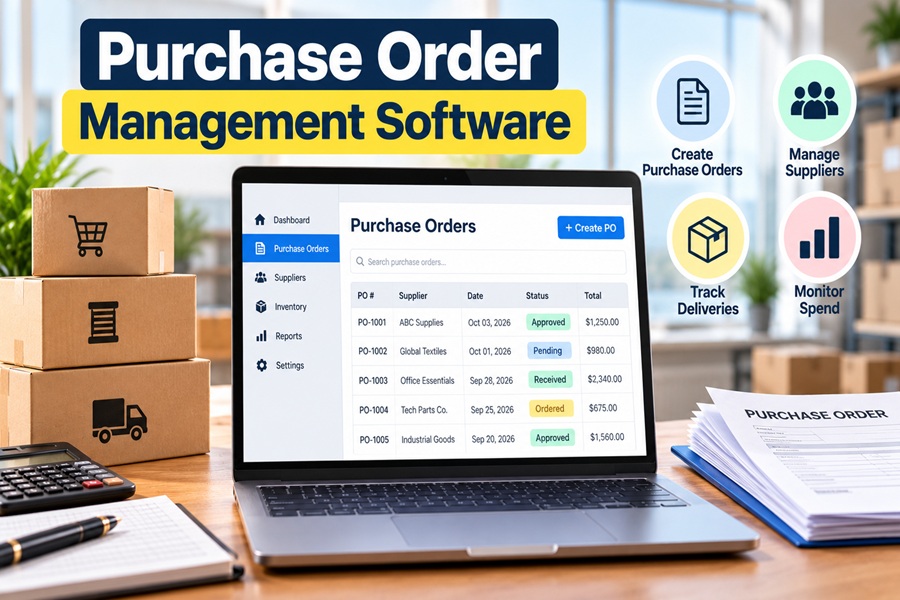
Somewhere in most growing companies there is a shared spreadsheet called something like “PO Tracker FINAL v3.” It works until it does not. Someone forgets to log an order, a supplier invoice arrives for something nobody remembers approving, and the finance team spends a Friday afternoon digging through email threads.
Purchase order management software exists to replace that chaos with a clear trail. It handles the journey of a purchase from request to approval to order, delivery and invoice. Picking the right one, though, is easy to get wrong. The market ranges from simple tools for a 20 person company to enterprise platforms built for global corporations.
What the Software Actually Does
At its core, a purchase order (PO) system answers four questions about every purchase. Who asked for it, who approved it, what it cost and whether what arrived matches what was billed.
A typical workflow looks like this:
- Request. An employee submits a purchase request with item, quantity, supplier and budget code.
- Approval. The request routes automatically to the right manager based on amount, department or category.
- PO creation. Once approved, the system generates a numbered purchase order and sends it to the supplier.
- Receiving. When goods arrive, someone marks them as received, fully or partially.
- Invoice matching. The system compares the PO, the receipt and the supplier invoice. This is called three way matching.
- Payment and reporting. Approved invoices move to accounts payable, and spend data flows into reports.
Without software, each of those steps depends on someone remembering to do it.
Signs Your Business Has Outgrown Spreadsheets
- Invoices arrive for purchases that nobody approved.
- Budget owners only learn about overspending after the month closes.
- Approvals stall because a manager is traveling or buried in email.
- Auditors ask for documentation that takes days to assemble.
- Duplicate orders go to the same supplier.
- Nobody can quickly answer “how much did we spend with this vendor last quarter?”
If three or more of those sound familiar, dedicated software will likely pay for itself.
Features That Matter Most
Not every feature deserves equal weight. These tend to make the biggest difference day to day.
Configurable approval rules. You should be able to set thresholds, such as purchases over $5,000 needing a director’s approval, without calling the vendor.
Mobile approvals. Managers approve far faster when they can do it from a phone.
Budget tracking. Seeing remaining budget at the moment of request stops overspending before it happens.
Accounting integration. A clean sync with QuickBooks, Xero, NetSuite, Sage Intacct or Microsoft Dynamics avoids double entry. This is often the deciding factor.
Three way matching. Automatic comparison of PO, receipt and invoice catches overbilling and partial deliveries.
Supplier management. A central vendor list with contacts, contracts and pricing.
Audit trail. A timestamped record of every change and approval.
Reporting. Spend by department, vendor, category and project.
The AI Features Showing Up Now
Most vendors now advertise artificial intelligence, and some of it is genuinely useful. The most practical uses include reading supplier invoices automatically through optical character recognition, flagging unusual orders or prices for review and suggesting the right budget code or approver.
Larger platforms are going further. Coupa, for example, has promoted AI agents designed to support sourcing and purchasing decisions. Procurify uses AI to detect anomalies in purchase orders and invoices. For smaller companies, invoice capture and anomaly alerts usually deliver the most value. Fully autonomous purchasing is still more promise than everyday reality for most teams.
A Map of the Market
The tools generally fall into a few tiers.
| Tier | Example tools | Typical buyer | What to expect |
|---|---|---|---|
| Built into accounting software | QuickBooks Online (higher plans), Xero, Zoho Books | Very small businesses | Basic POs, limited approvals |
| Small and midsize procurement tools | Precoro, Procurify, Tradogram, ProcureDesk, ProcurementExpress.com | 20 to 1,000 employees | Approvals, budgets, matching, integrations |
| Purchasing marketplaces | Order.co | Multi location businesses | Centralized buying from many vendors |
| Enterprise suites | Coupa, SAP Ariba, Oracle, Zip | Large organizations | Sourcing, contracts, global compliance |
| ERP modules | NetSuite Procurement, Microsoft Dynamics | Companies already on that ERP | Tight integration, more setup |
Many small businesses are surprised to learn they may already have basic PO features inside their accounting software. That can be enough for a company placing a few dozen orders a month with one or two approvers.
Pricing Models to Watch
Pricing varies widely and is often quote based. Common models include:
- Per user per month, which can get expensive if many employees submit requests.
- Tiered plans based on features or number of POs.
- Modular pricing, where purchasing, accounts payable and inventory are separate add ons.
- Annual contracts with implementation fees for larger platforms.
Ask whether requesters, approvers and administrators are priced differently. Some tools charge only for approvers, which can save a lot.
How to Choose Without Regret
- Map your current process first. Write down who requests, who approves and where purchases go today. Software should fit a sensible version of that, not force a total reinvention.
- List must haves and nice to haves. Accounting integration and approval rules are usually must haves. Supplier portals and contract management may be nice to have.
- Shortlist three tools that match your size and accounting system.
- Run a real trial. Use actual purchases, not demo data, and include the managers who will approve.
- Check implementation time. Mid market tools can often go live in a few weeks. Enterprise suites can take months.
- Talk to a reference customer at a similar size and industry.
- Plan adoption. The best tool fails if employees keep ordering by email. Set a simple rule, such as “no PO, no payment.”
Mistakes That Cost the Most
The most common error is overbuying. A 60 person company signing up for an enterprise suite will pay for sourcing events and global compliance tools it never touches, while employees struggle with a complicated interface.
The second mistake is the opposite. Picking a tool that cannot integrate with your accounting system leads straight back to manual data entry, which is what you were trying to escape.
The third is skipping training. A short walkthrough for requesters and a one page guide for approvers often decide whether the system becomes a habit or a nuisance.
The Real Goal
Purchase order software is not really about generating documents. It is about knowing where money is going before it leaves the business. When the right tool fits your size, connects to your books and makes approval easier than avoiding it, that old “PO Tracker FINAL v3” spreadsheet can finally be retired.
Leave a Reply